In this article
Give both examples the same boundary
Comparisons become misleading when each option uses a different definition of available time. One example may include travel while the other begins at arrival. One may reserve a contingency while the other assumes everything runs exactly on time. Before comparing two invented possibilities, define one common window and use the same categories on both sides.
The Offer Fit Sketch uses a chosen window in hours, then subtracts work, round-trip travel, preparation and a contingency. The categories are deliberately plain. They do not represent paid time, official shift rules or a recommended amount of rest. They are separate fictional blocks with no overlap. If that model does not fit an example, use a different method rather than forcing the example to agree.
Work through the arithmetic
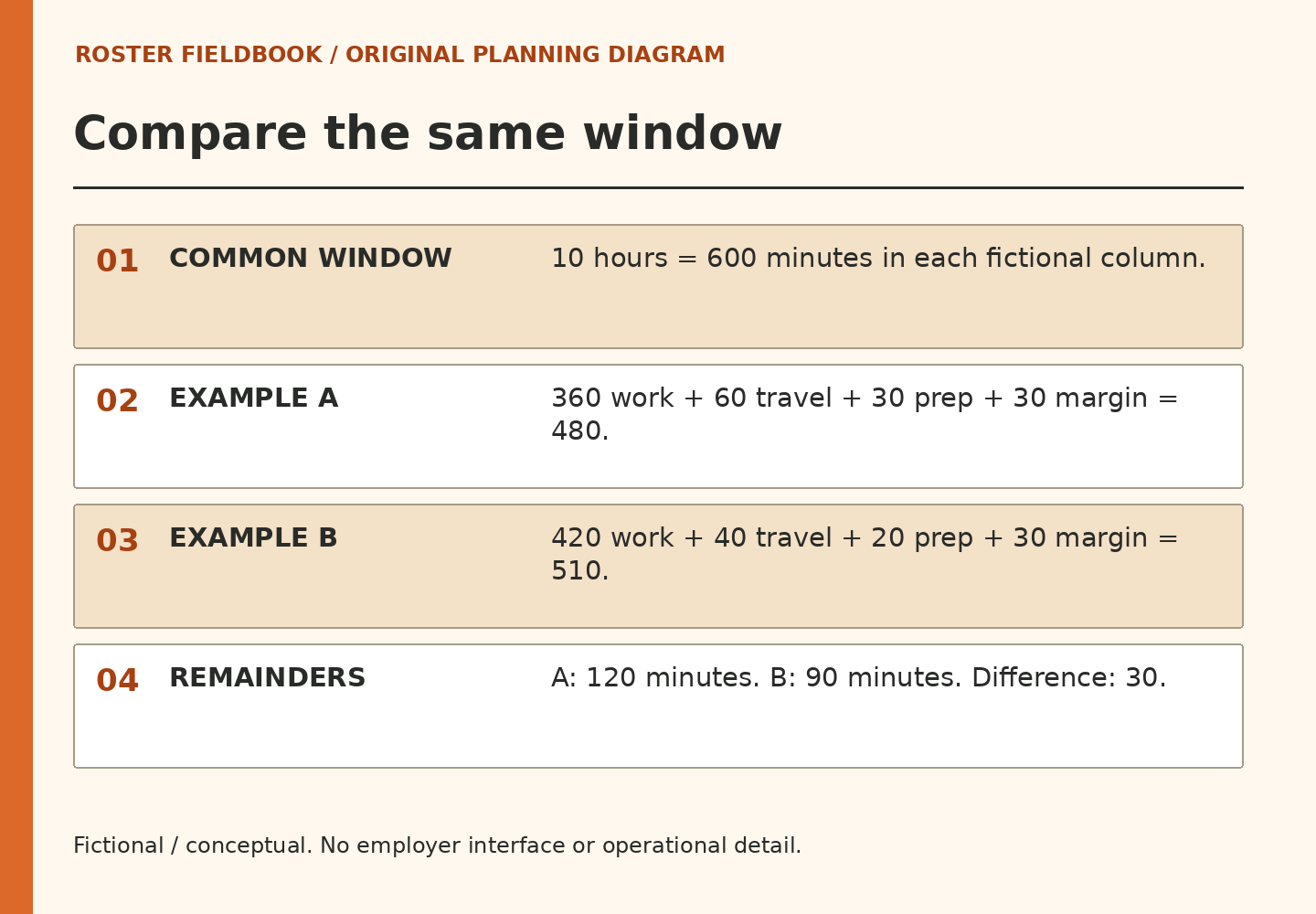
For a ten-hour window, the starting total is six hundred minutes. Example A uses six hours of work, sixty minutes of travel, thirty of preparation and thirty of contingency. The claims total four hundred eighty minutes, leaving one hundred twenty. Example B uses seven hours of work with forty minutes of travel, twenty of preparation and thirty of contingency. Its total is five hundred ten, leaving ninety.
The difference is thirty minutes. That comparison is useful because both columns use the same boundary. It does not say that A is a better real opportunity. Pay, approval, practical access, existing responsibilities and many other considerations are outside the model. The comparison has answered a narrow arithmetic question, which is all it was designed to do.
Interpret three possible results
A positive remainder means the entered blocks do not fill the chosen window. It does not establish that the remainder is usable, restful or free of other claims. An exact fit means every modeled minute has been allocated. It gives no additional margin for something that was omitted. A negative remainder means the entered claims exceed the boundary. The tool reports the amount rather than deciding which claim should disappear.
If a result surprises you, inspect units first. Work is entered in hours; travel, preparation and contingency are entered in minutes. All inputs must be whole numbers within the displayed limits. These limits keep the exercise understandable. They are software bounds, not rules about what schedules or travel durations are acceptable.
Use a result as a question generator
Try increasing only travel in one column. Then restore the example and increase only work. This one-variable method makes it easier to see why the total moved. Changing several fields at once may produce a striking answer while concealing the assumption that mattered. The model rewards a clear explanation more than a favorable-looking number.
Use fictional inputs only. Calculations stay in the current page’s memory, with no tool submission or persistent storage added by this code. Clear resets the fields and disables printing until a fresh valid result is made. Browsers can independently restore form values. If you print an invented comparison, include its boundaries and omissions. A detached total without its assumptions is a poor guide to any later decision.
Evidence and boundaries
This article is an original planning exercise using invented examples. It does not report private employer procedures or an individual employee’s experience.
Roster Fieldbook is independent of Allied Universal. Actual assignments, approvals and requirements must be confirmed through verified official channels. No extra hours, pay or other outcome is guaranteed.
Continue with Write Availability as a Boundary, Not a Biography or try the Offer Fit Sketch.